work / Buffalo Bunny

try the wall on.

see it in your space.

Over the shoulder of a woman sitting on her bed in morning light, her thumb on the visualizer's Upload photo window on her phone. Scene rendered for presentation; the screen is the live app.
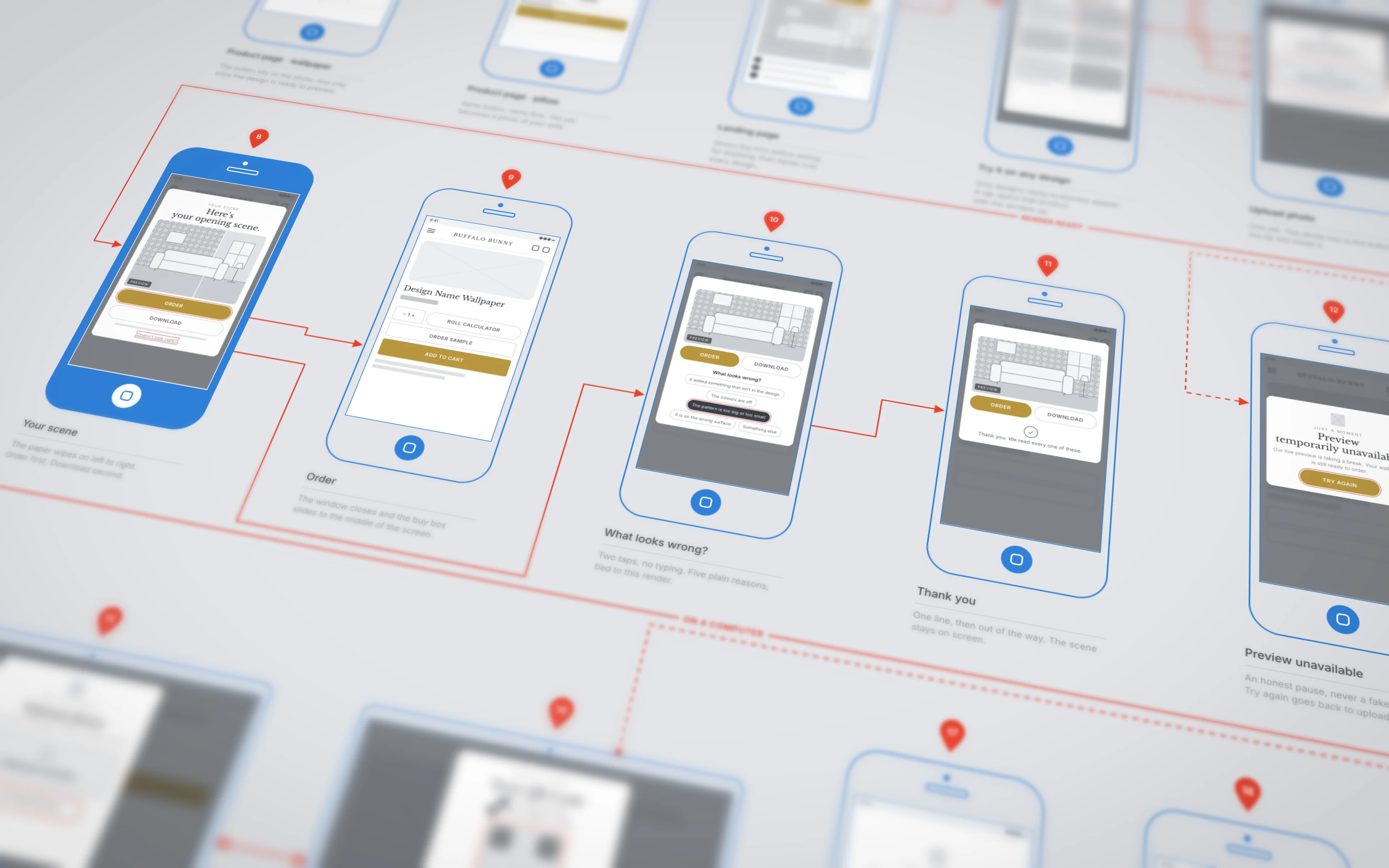
The visualizer's UX flow map seen at an angle: blue outline phone wireframes with numbered red pins, joined by red arrows, with the result screen filled in blue.
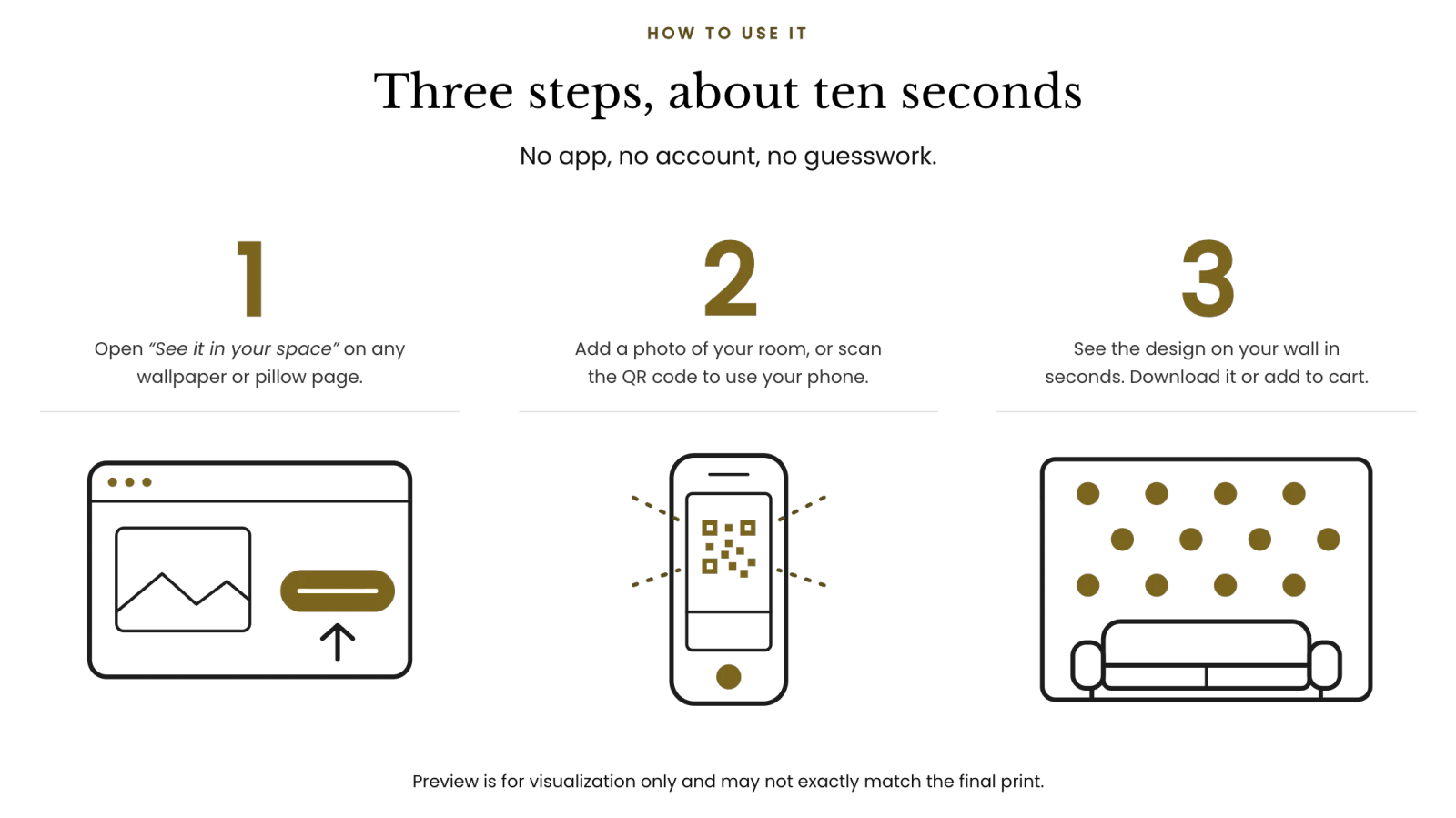
How to use it, three steps: open See it in your space on any wallpaper or pillow page, add a photo of your room or scan the QR code to use your phone, and see the design on your wall, then download it or add it to cart.
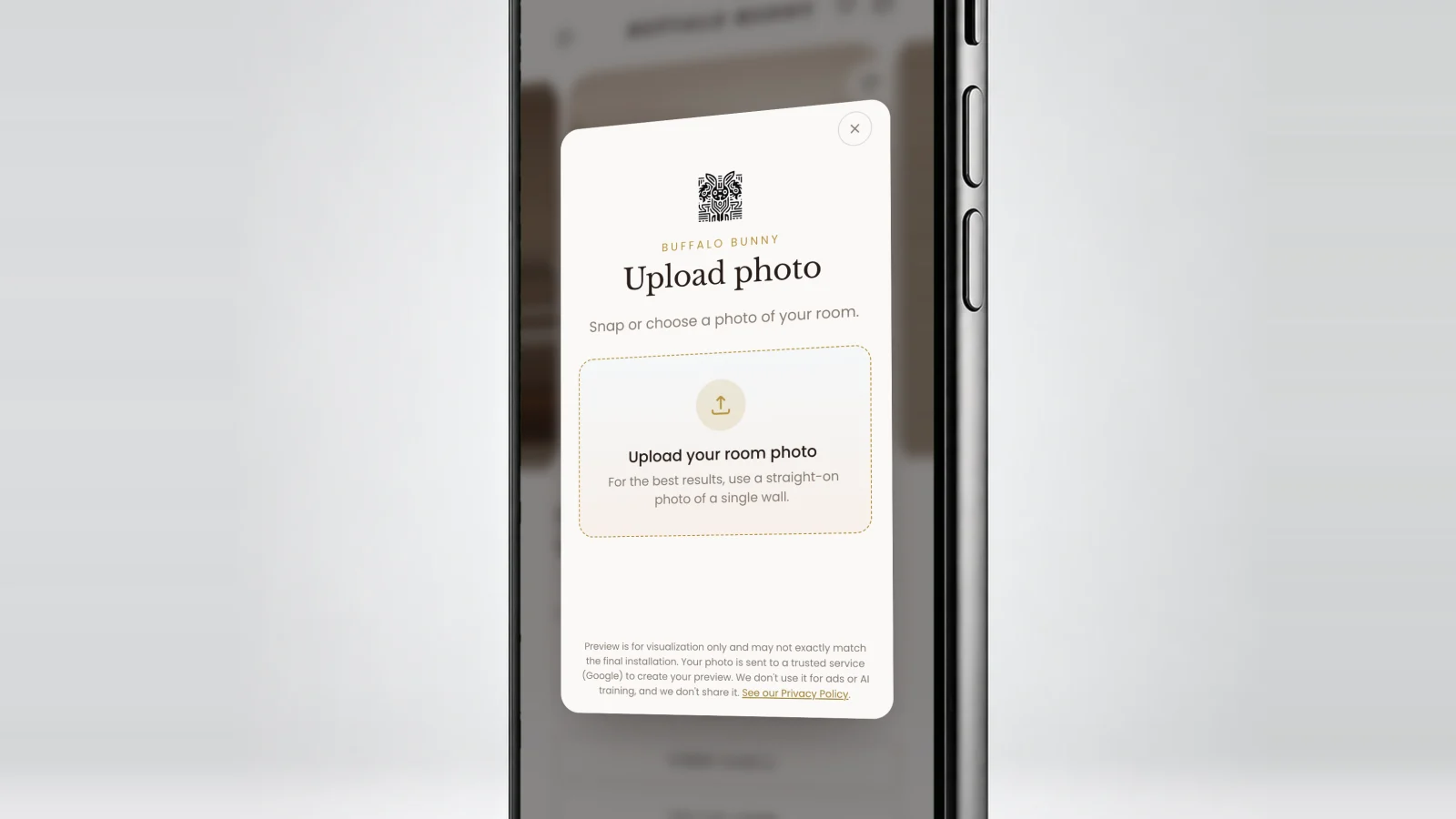
A close crop of a phone with the visualizer open over a blurred product page: Upload photo, snap or choose a photo of your room, and an upload box. The screen is the live app.
Drag to compare. The staged bedroom from the visualizer’s landing page, before and after.
questions

asked, answered.

  • What is See it in your space?
    A room visualizer built into buffalobunny.com. Take a photo of your room, choose a design, and see the wallpaper on your wall or the pillow on your sofa, from the product page itself.
  • How does it handle murals and repeating wallpaper?
    A repeating design is tiled across the wall and sized from the room in the photo. A mural is fitted to the whole wall, the way it would be hung.
  • Can I take the photo with my phone?
    Yes. On a computer, the visualizer shows a QR code. Scan it, take the photo on your phone, and the result appears back on the computer.
  • Why build a visualizer into the store?
    Because wallpaper is a commitment people make from a screen. Seeing a design on their own wall answers “will it work here?” before they order a sample or a roll.
keep going

More work,
more receipts.

Three picks from the rest of the archive.

the only ask

think we'd click?

hello@blakinc.com →

we use cookies to understand how the site is used and make it better. essential cookies are always on. you choose the rest. no selling your data.